
One Platform. Every Campus.
Manage staff attendance across all your school branches from a single dashboard.
How it works
Centralized Dashboard
One login gives Super Admins a consolidated view of attendance, late arrivals, and leave across every campus in the group.
Branch-Level Isolation
Each campus has its own staff data, GPS zones, leave policies, and configurations. Data never leaks between branches.
Context Switching
Super Admins can switch between campuses instantly to drill into branch-level details without logging in and out.
Each branch gets its own
Every campus operates independently while the group maintains centralized oversight.
Who sees what
Role-based access control ensures every user sees only what they need.
| Role | Data Scope | Access |
|---|---|---|
| Super Admin | All branches | Full access across all campuses. Can switch context between branches and view consolidated reports. |
| School Admin | Own branch | Manages staff, settings, and reports for their assigned branch only. |
| Principal / SLT | Own branch | Views attendance, leaves, and reports for their branch. Approves leave and corrections. |
| Manager / HOD | Team only | Sees attendance and approves leave for team members under their department. |
| Employee | Self only | Views own attendance, applies for leave, and manages own profile. |
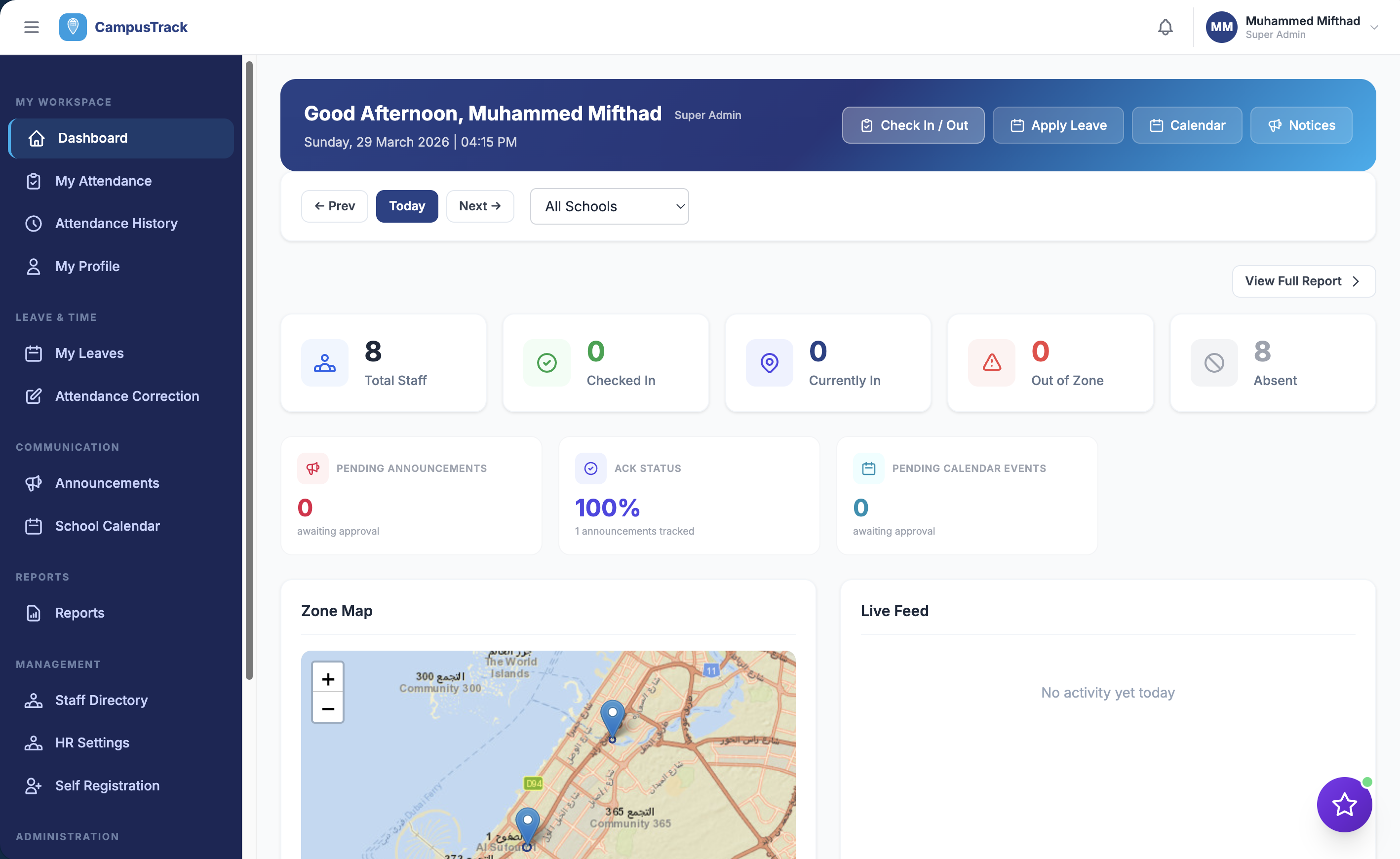
Multi-campus dashboard showing attendance across all branches
Adding a new campus
When you open a new school, CampusTrack is ready in hours — not weeks. No hardware procurement, no device installation, no cabling. Just configure the GPS zone, import staff, and you are live.
See multi-campus in action
Book a walkthrough to see how CampusTrack manages your entire school group.