
Go live in a day, not months
Six simple steps from sign-up to full staff operations — attendance, HRMS workflows, and performance visibility. No hardware, no complex migration, no disruption to your academic calendar.
No biometric machines. No servers. No installation. Fully cloud-based.
Log in with school account
Staff log in using their school Microsoft or Google account. No new passwords, no separate apps. Just the same credentials they already use every day.
- Google SSO or Microsoft SSO
- No extra passwords to manage
- Automatic account linking on first login
- Works on any browser or device
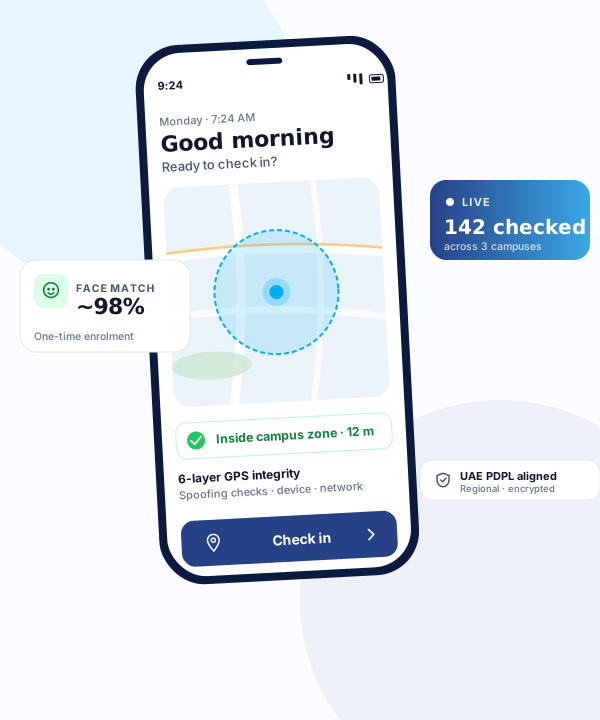
Open CampusTrack on campus
When they arrive on campus, they open CampusTrack on their phone. The system is a Progressive Web App — no app store download needed. Just open the browser and go.
- No app installation required
- Works on Android, iOS, and desktop
- Progressive Web App — feels like a native app
- Bookmark to home screen for one-tap access
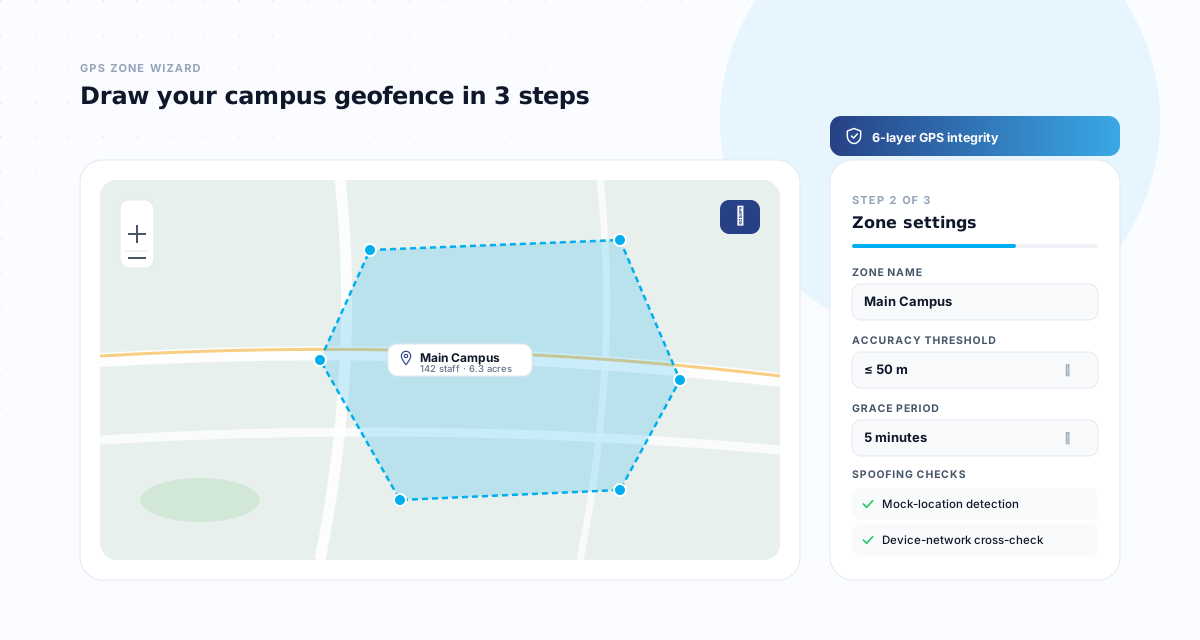
GPS location verified
The system verifies their GPS location within school geofence. Each campus has configurable GPS zones, so check-in only works when staff are physically on school premises.
- GPS geofence per campus or building
- Configurable zone radius
- Location verified at check-in and check-out
- Out-of-zone attempts are flagged automatically
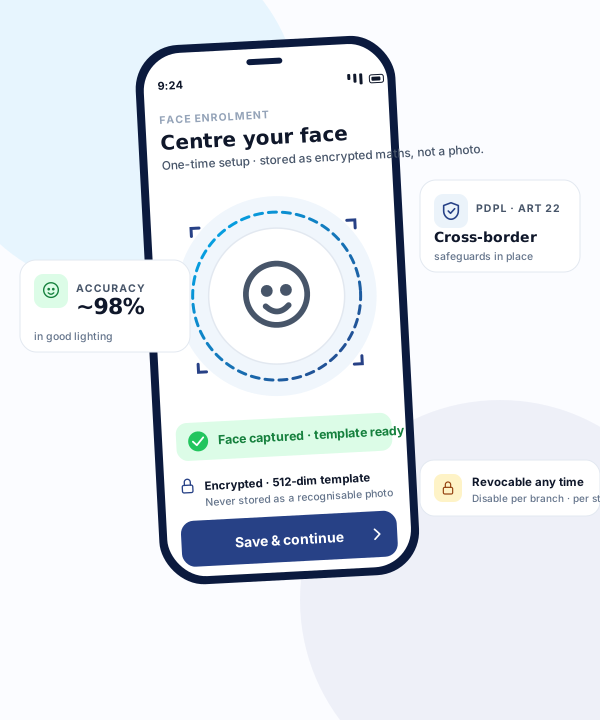
Face verification (optional)
Optional face verification confirms identity. AI-powered face matching ensures the correct person is marking attendance, reducing proxy check-ins and improving compliance.
- AI-powered face matching
- One-time face registration in 30 seconds
- Audit photos stored securely in our cloud infrastructure provider S3
- Can be enabled or disabled per school
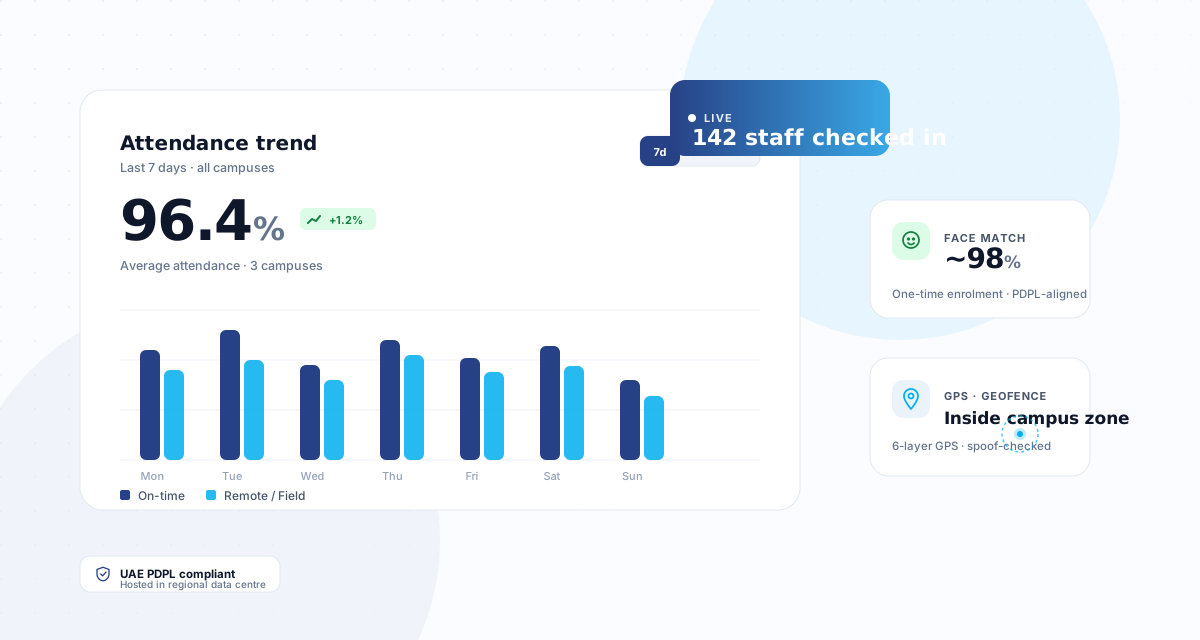
Attendance recorded instantly
Attendance is recorded instantly and visible to management dashboards. Admins, principals, and managers see real-time data — who is on campus, who is late, who is absent.
- Real-time attendance dashboard
- Late arrival and early departure alerts
- Branch-level and group-level views
- Exportable reports for payroll and compliance
Everything in one system
Leave, shifts, announcements, and reports are managed in the same system. No switching between tools. One login, one platform, everything connected.
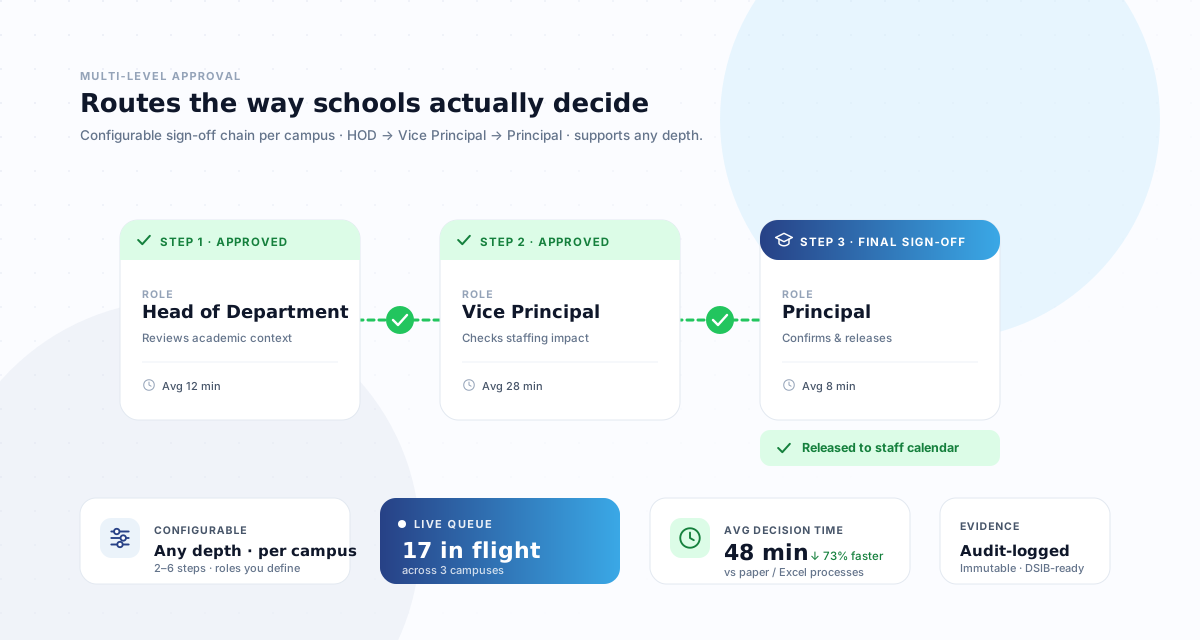
- Leave requests and multi-level approvals
- Shift scheduling and academic calendar
- School-wide announcements
- Comprehensive reports and analytics
What you don't need
Rolling out inside a school calendar
Software calendars are negotiable. Term dates are not. A rollout that ignores that ends up competing with the busiest weeks of a school’s year, and loses.
Start at a term boundary where you can
Attendance data is cleanest when a period starts fresh. Mid-term cutover means one term split across two systems, and every report covering it needs assembling by hand afterwards.
Avoid the first two weeks of term
New staff, changed timetables and settling routines already absorb every spare minute. A system launched into that week gets blamed for the chaos it arrived in.
Enrol faces before staff need them
Face enrolment takes a couple of minutes per person. Doing it during an INSET day rather than at 7:15am on the first morning is the single biggest predictor of a smooth start.
Give one person the exception queue
Out-of-zone check-ins and unusual times surface for a human to review. If nobody owns that in week one they pile up, and arrive later as payroll queries.
Run one payroll cycle in parallel
Keep the existing process alongside for a single cycle and compare. A discrepancy found by comparison is cheap; the same one found by a teacher querying their pay is not.
Multi-campus goes one school at a time
Launch a single campus, learn what your group actually needs configured differently, then roll the rest in batches. Simultaneous launches multiply problems rather than dividing effort.
What we need from your side
Going live in a day is realistic. It stays realistic because the inputs are small, and because they are the three that stall projects when they are missing.
A staff list
Names, roles and campus. A spreadsheet is fine — most schools already have one, and it does not need cleaning first. Duplicates and inconsistencies are surfaced during import rather than assumed away.
Your working rules
Working hours, leave types and who approves what. These are decisions rather than data, and they are the ones that stall a rollout when the person who can make them is unavailable.
The campus boundary
Drawn on a map, taking a minute per site. Radius is set to the campus rather than a default, because a geofence that is too tight generates false exceptions and one too loose defeats the point.
Ready to get started?
Book a walkthrough and see the full setup process in action.