
One Platform. Every Campus.
Manage staff attendance across all your school branches from a single dashboard.
How it works
Centralized Dashboard
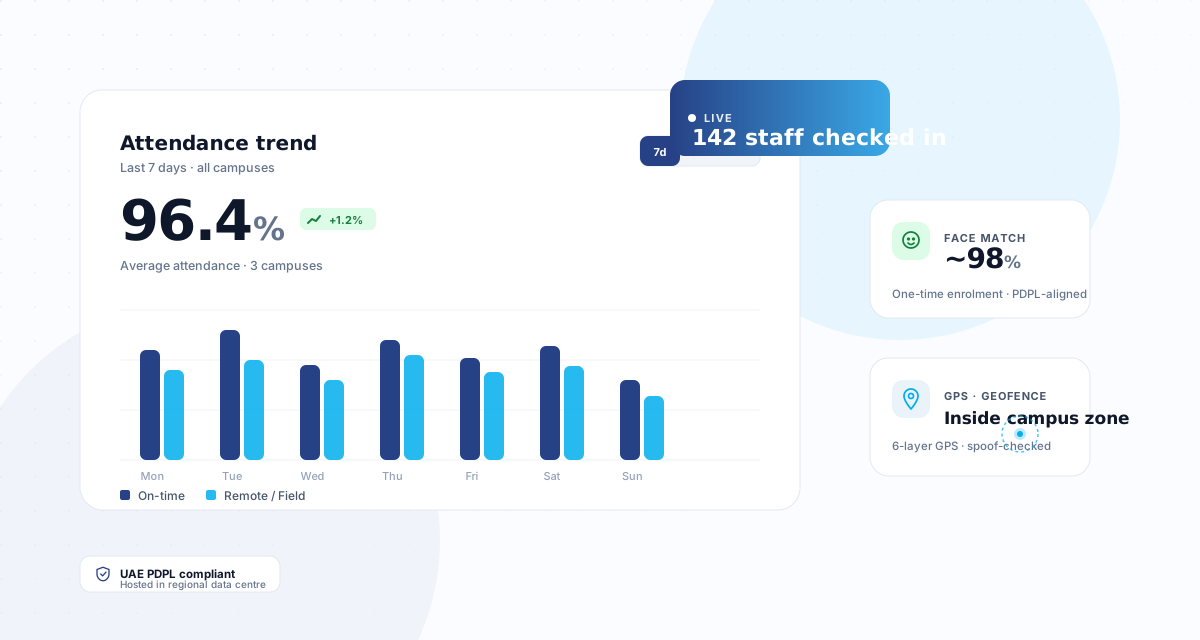
One login gives Super Admins a consolidated view of attendance, late arrivals, and leave across every campus in the group.
Branch-Level Isolation
Each campus has its own staff data, GPS zones, leave policies, and configurations. Data never leaks between branches.
Context Switching
Super Admins can switch between campuses instantly to drill into branch-level details without logging in and out.
Each branch gets its own
Every campus operates independently while the group maintains centralized oversight.
Who sees what
Role-based access control ensures every user sees only what they need.
| Role | Data Scope | Access |
|---|---|---|
| Super Admin | All branches | Full access across all campuses. Can switch context between branches and view consolidated reports. |
| School Admin | Own branch | Manages staff, settings, and reports for their assigned branch only. |
| Principal / SLT | Own branch | Views attendance, leaves, and reports for their branch. Approves leave and corrections. |
| Manager / HOD | Team only | Sees attendance and approves leave for team members under their department. |
| Employee | Self only | Views own attendance, applies for leave, and manages own profile. |
What breaks when a group outgrows single-campus software
Running four schools is not running one school four times. These are the problems that only appear at group scale, which is exactly why single-campus systems have not solved them.
Staff who work across two campuses
A peripatetic music teacher or a floating cover supervisor belongs to more than one site. Systems that treat a branch as a hard boundary force a duplicate employee record, and then their leave balance exists twice.
Group leadership cannot compare like with like
When each campus configures its own leave types, shift patterns and approval chains, a group-level report is comparing different things. Shared masters with per-branch settings is the difference between a comparison and a coincidence.
Approvals cross campus lines
A branch principal approves within their school, but a group HR director approves above all of them. An approval chain that only understands one level cannot express that, so it gets handled by email instead.
A transfer between campuses loses history
When a member of staff moves from one school to another in the same group, they should keep their service history, leave accrual and documents. Recreating them as a new employee resets everything the group has on them.
Every campus reports on a different day
Payroll cut-offs that drift between sites turn a group payroll run into a reconciliation exercise. Shared periods with per-branch exceptions keep them aligned without forcing identical calendars.
One campus is not like the others
A new or smaller site frequently runs different shifts or a different working week. Group standardisation that cannot accommodate that gets abandoned by the site it does not fit.
Adding a new campus
When you open a new school, CampusTrack is ready in hours — not weeks. No hardware procurement, no device installation, no cabling. Just configure the GPS zone, import staff, and you are live.
The campus is created under the group
It inherits the group’s shared masters — leave types, designations, approval templates — so the new site starts consistent with the others rather than being configured from scratch and drifting immediately.
The geofence is drawn
A GPS zone around the campus, with a radius set to the site rather than a default. No hardware to procure, install or maintain, which is what makes a same-week launch possible at all.
Staff are imported and assigned
Existing group staff can be assigned to the new campus without duplicating their record, so someone transferring in keeps their service history and leave balance.
Local exceptions are set
Where the new site genuinely differs — a different working week, its own shift pattern, an extra approval step — those are configured as exceptions rather than forcing the group to loosen its standard everywhere.
Multi-campus questions
Can one staff member work across two campuses?
Yes, and they keep a single employee record. Assigning someone to more than one branch avoids the duplicate record that would otherwise split their leave balance and service history across two profiles.
Can a branch principal see other campuses?
No. Branch isolation is enforced by the platform rather than by a filter someone could forget to apply, so a principal sees their own school. Group-level roles see across campuses by design.
What happens when staff transfer between campuses in the group?
They move with their history intact — service dates, leave accrual and documents follow the employee rather than the branch. Recreating them at the new site would reset everything the group holds on them.
Can campuses have different working weeks or shift patterns?
Yes. Shared group masters set the standard and each campus can carry documented exceptions, so a site that genuinely differs is accommodated without loosening the standard everywhere else.
How long does adding a new campus take?
Hours rather than weeks, because there is no hardware to procure or install. The campus is created under the group, a GPS zone is drawn, staff are assigned, and local exceptions are configured.
Does group reporting mix campuses together?
Group reporting reads across campuses while each keeps its own records and permissions. Because campuses share masters, the comparison is between like and like rather than between differently-configured sites.
See multi-campus in action
Book a walkthrough to see how CampusTrack manages your entire school group.