From staff attendance and HRMS workflows to teacher performance, lesson observation, quality workflows, and campus dashboards — CampusTrack replaces scattered tools with a single, school-fit system.
21 Feature Modules
200+ Endpoints
34 Permissions
5-Tier RBAC
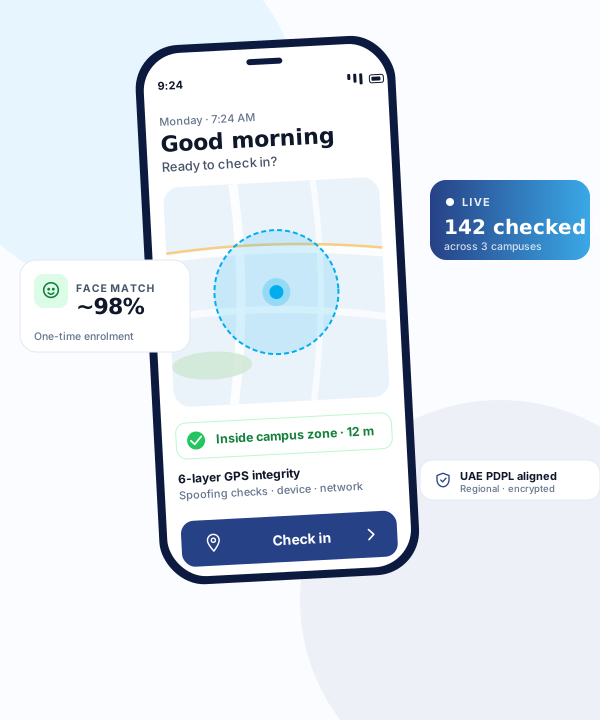
GPS Attendance with Geofencing
Staff check in and out using their phones within a GPS-fenced school zone. No biometric hardware, no access cards, no queues.
GPS-fenced check-in/out within school premises
Configurable geofence zones per campus
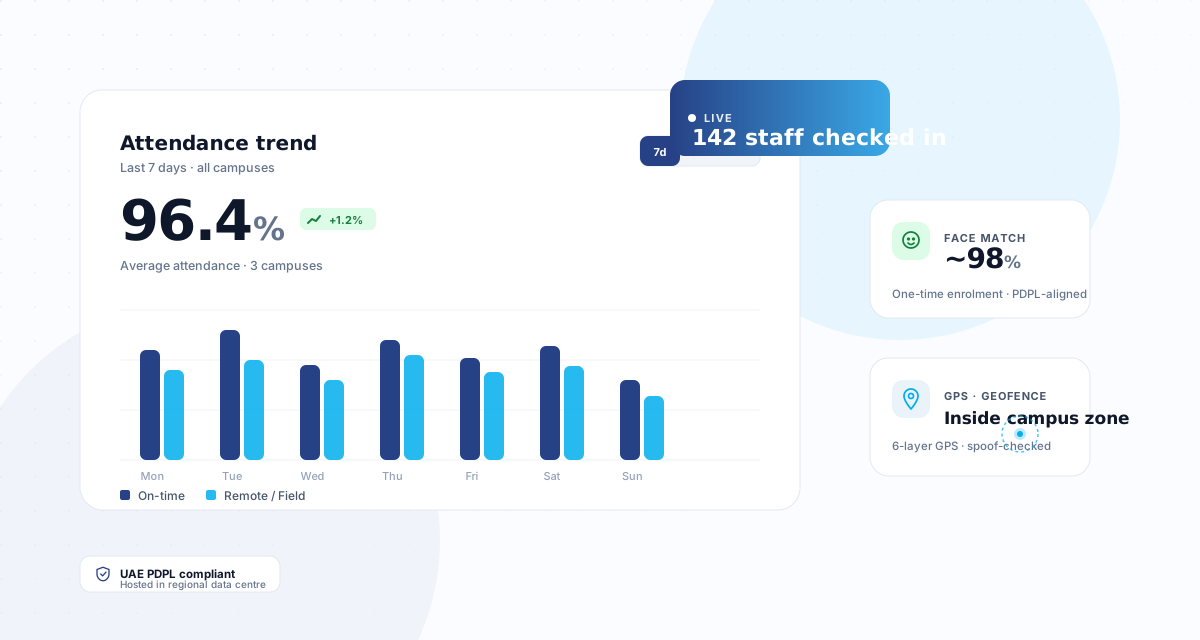
Real-time attendance dashboard with live statuses
Work mode tracking: on-campus, remote, field duty
AI Face Verification
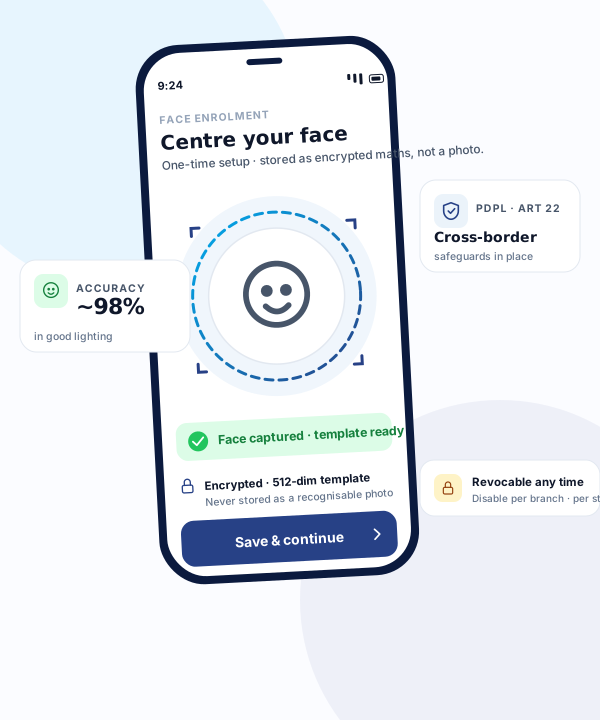
Optional AI face verification ensures the correct person is marking attendance, reducing proxy attendance and improving compliance.
AI-powered face verification at check-in/out
One-time face registration with guided onboarding
Photo-based identity verification with spoofing safeguards
Audit trail with photo evidence
Multi-Campus Dashboard
Education groups with multiple campuses can monitor attendance across all branches from a single dashboard with branch-level data isolation.
Single dashboard for all school branches
Super Admin context switching between campuses
Consolidated reports across the group
Branch-level data isolation and access control
Leave & Multi-Level Approvals
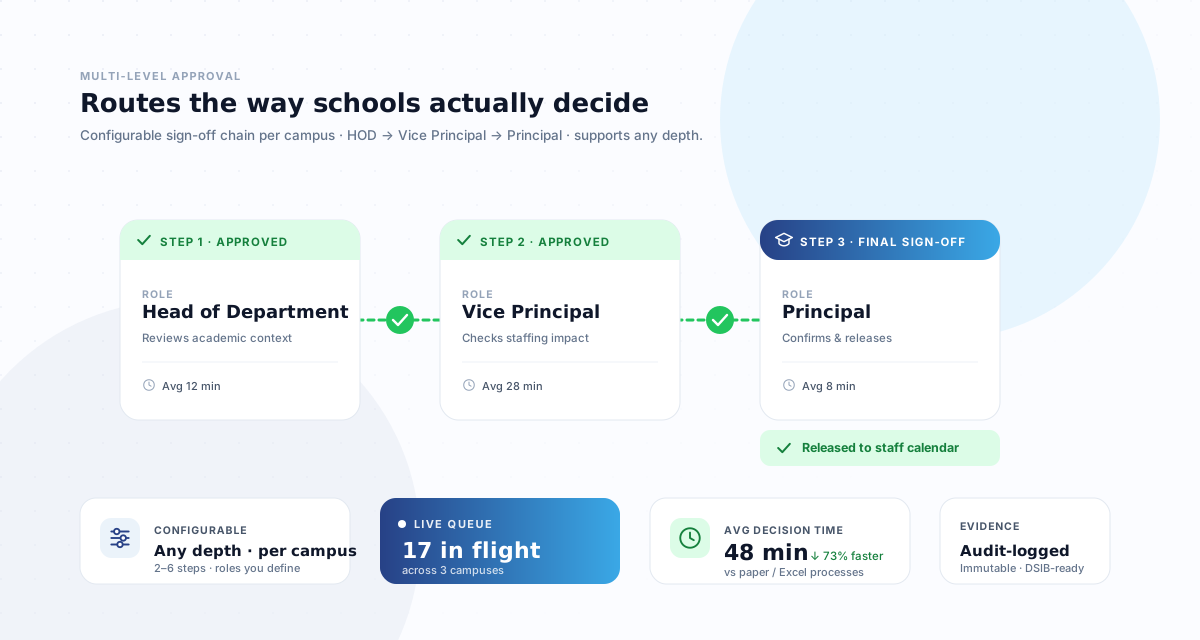
Staff apply for leave and approvals route through school hierarchy automatically — HOD, Vice Principal, Principal.
Multi-level approval chains (HOD, VP, Principal)
Configurable leave types with balance tracking
Calendar view of team availability
Delegation support for absent approvers
Reports & Compliance
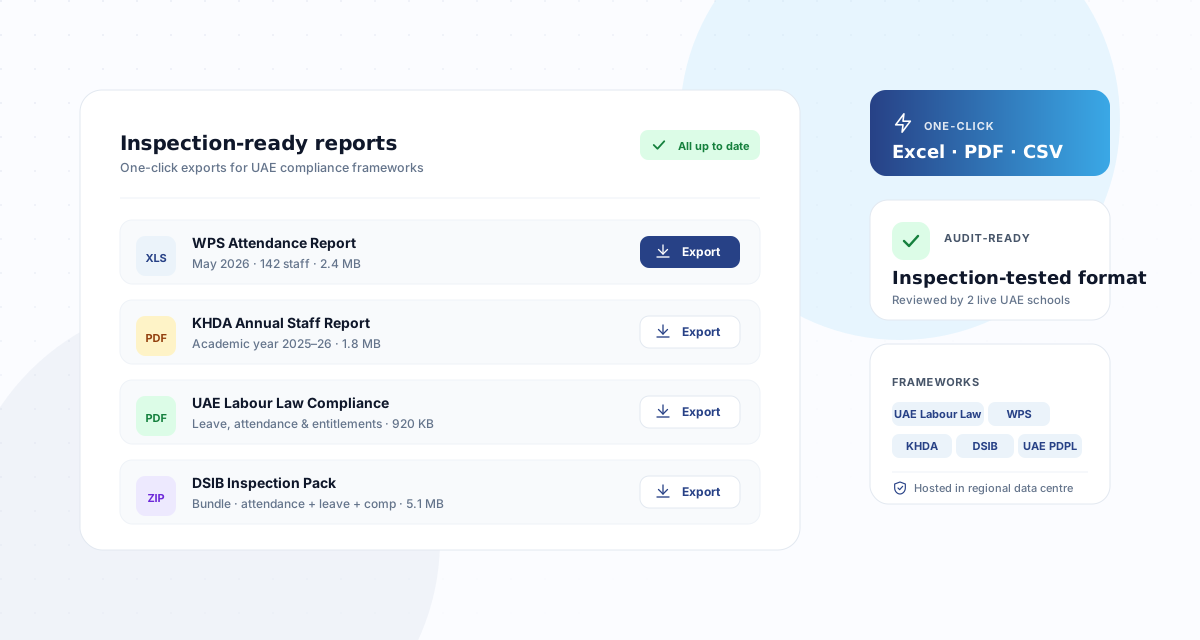
Generate inspection-ready attendance reports, late reports, leave summaries, and branch-level reports for governance and compliance.
Attendance, late, and leave reports
Inspection-ready compliance reports
Export to Excel and PDF
Scheduled report generation
GPS Security — 6 Layers
Six-layer GPS integrity framework protecting against spoofing, mock locations, and impossible travel patterns.
Mock location and GPS spoofing detection
Velocity anomaly validation (max travel speed)
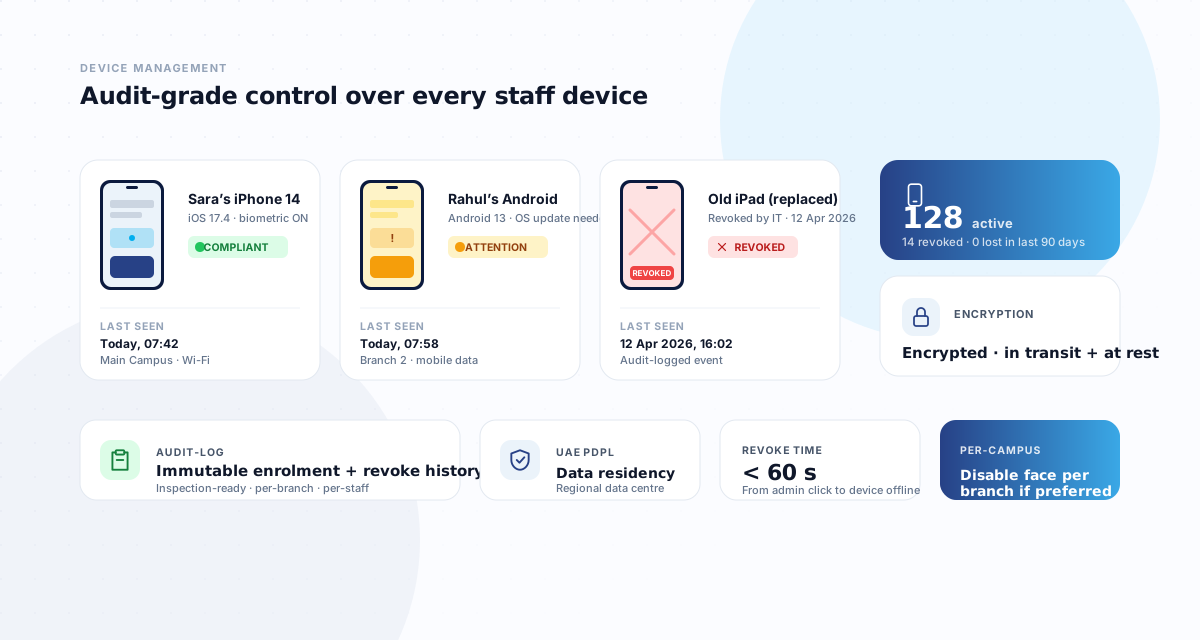
Device fingerprint binding
Check-in cooldown periods
See all 21 features in action
Book a 20-minute walkthrough tailored to your school.
Chat-based AI for attendance insights, smart suggestions, and drafting.
Email Campaigns
Drag-and-drop email editor with templates, segmentation, and analytics.
In-App Feedback
Star ratings after check-in with configurable frequency and analytics.
HR Settings Dashboard
Attendance types, leave types, shifts, reasons — all in one admin panel.
Mobile PWA
Works on any phone — no app store needed. Push notifications built in.
Device Management
Device binding, account lockout, and complete audit trail for all actions.
UAE PDPL Compliance
Consent management, data export, anonymization, breach logging.
Approval Workflows
Generic engine for leave, corrections, announcements, and calendar events.
How it compares
Purpose-built for schools. No compromises.
CampusTrack compared with traditional biometric systems and typical HRMS products
Feature
CampusTrack
Traditional biometric
Typical HRMS
Setup time
1 day per campus
4-8 weeks
1 week+
Hardware required
None
Biometric devices
None
GPS geofencing
Yes
No
Basic
Face verification
AI-powered
Device-locked
No
Multi-campus
Unlimited
Per-device
Limited
Offline support
PWA sync
Device only
No
Setup time
CampusTrack
1 day per campus
Traditional biometric
4-8 weeks
Typical HRMS
1 week+
Hardware required
CampusTrack
None
Traditional biometric
Biometric devices
Typical HRMS
None
GPS geofencing
CampusTrack
Yes
Traditional biometric
No
Typical HRMS
Basic
Face verification
CampusTrack
AI-powered
Traditional biometric
Device-locked
Typical HRMS
No
Multi-campus
CampusTrack
Unlimited
Traditional biometric
Per-device
Typical HRMS
Limited
Offline support
CampusTrack
PWA sync
Traditional biometric
Device only
Typical HRMS
No
Why these belong together
Most of these exist somewhere as a separate tool. The reason to hold them in one platform is that the useful answers live in the connections between them, and connections are exactly what a stack of separate tools cannot produce.
Cover depends on leave and attendance together
An approved absence should create a visible cover gap before the school day starts. When leave lives in one system and attendance in another, that gap is discovered by a class waiting for a teacher.
Payroll readiness depends on exceptions being closed
Every unresolved out-of-zone check-in is a payroll query later. Closed in the same week they are administrative; closed on payroll day they become a conversation about someone’s pay.
Compliance evidence is assembled from all of it
Working hours, rest periods and leave are not separate records — they are the same records read differently. Split across tools, producing evidence becomes a reconciliation exercise every time.
Multi-campus reporting needs shared definitions
Comparing four campuses only means something if they define leave types and shift patterns the same way. That is a property of one platform, not of four tools that happen to export.
See it on your own campus
Twenty minutes, your real staffing patterns, and an honest answer about whether CampusTrack fits.