
By CampusTrack Team
Cloud vs On-Premise Attendance Systems: Which Is Right for Your Business?
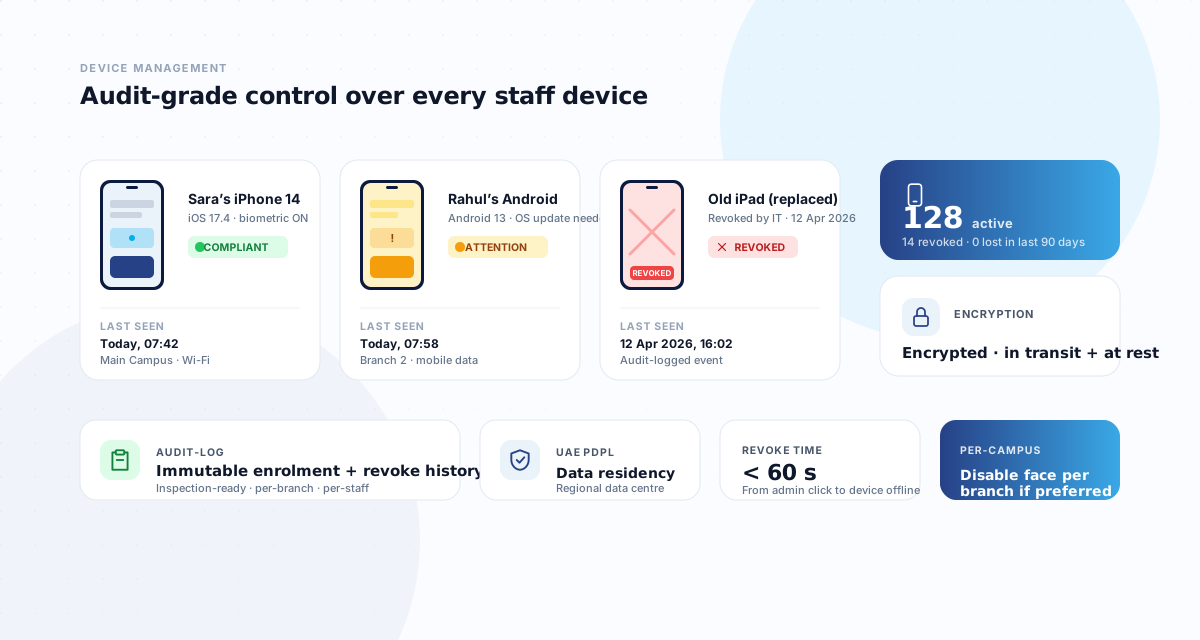
When evaluating attendance systems, one of the first decisions is whether to go with a cloud-based solution or an on-premise installation. Both approaches have legitimate strengths, and the right choice depends on your organisation's size, structure, compliance requirements, and IT capabilities. This article provides a clear comparison to help you make an informed decision.
What each model means
An on-premise attendance system runs on servers physically located at your office or data centre. The software is installed on your hardware, data is stored locally, and your IT team is responsible for maintenance, updates, backups, and security. You own the infrastructure and have direct physical control over the data.
A cloud-based attendance system runs on the provider's servers (typically hosted on platforms like AWS, Azure, or GCP). You access the system through a web browser or mobile app. The provider handles infrastructure, maintenance, updates, backups, and security. You pay a subscription fee rather than purchasing hardware.
Cost: capex vs opex
On-premise systems involve significant upfront capital expenditure. You need servers, network infrastructure, software licences, installation, and configuration. For a mid-sized company, this can range from AED 50,000 to 200,000 or more, depending on complexity. Add annual costs for server maintenance, IT support, software updates, and hardware replacement (typically every 3 to 5 years).
Cloud systems convert this to operational expenditure — a predictable monthly or annual subscription fee, typically AED 5 to 25 per employee per month. There is no upfront hardware investment, no server maintenance, and no need for in-house IT expertise to manage the attendance infrastructure. For most businesses, especially small and mid-sized companies, the cloud model is more financially accessible and predictable. See CampusTrack pricing for a real-world example of cloud-based subscription costs.
Maintenance and updates
With on-premise systems, your IT team is responsible for applying software updates, patching security vulnerabilities, maintaining database health, and troubleshooting issues. If the vendor releases a new feature, you may need to schedule downtime for the upgrade. If a server fails, recovery depends on your backup procedures and IT team's availability.
Cloud providers handle all of this. Updates are deployed automatically, typically during low-usage hours. Security patches are applied by the provider's dedicated security team. Database maintenance, backups, and disaster recovery are built into the service. This is particularly valuable for organisations without large IT departments — the attendance system just works, without requiring ongoing technical attention.
Scalability
On-premise systems have inherent scaling limitations. If your server can handle 500 employees and you grow to 600, you may need additional hardware. If you open a new branch, you need to either extend the network connection to the on-premise server or install additional infrastructure at the new location.
Cloud systems scale effortlessly. Adding 100 employees means 100 new accounts — no infrastructure changes required. Opening a new branch means creating a new geofence and user accounts — a configuration task, not an infrastructure project. For growing businesses or those with seasonal workforce fluctuations, this flexibility is a significant advantage.
Remote access and multi-site operations
This is where cloud systems have a clear advantage. A cloud-based dashboard is accessible from any browser, anywhere, on any device. Head office managers can view real-time attendance across all branches without VPN connections or special network configurations. Field workers, remote employees, and multi-site staff check in from their phones — the data flows to the same central system.
On-premise systems can be made accessible remotely through VPN or web gateways, but this adds complexity, cost, and potential security exposure. For companies with multiple locations, the cloud model is almost always simpler and more reliable.
Security considerations
A common concern with cloud systems is data security — the feeling that data is safer when it is physically in your office. In practice, the opposite is often true. Major cloud providers invest heavily in security: encryption at rest and in transit, multi-factor authentication, intrusion detection, regular penetration testing, and compliance certifications (ISO 27001, SOC 2). Most small and mid-sized businesses cannot match this level of security with their on-premise infrastructure.
That said, on-premise gives you direct physical control over the data, which some organisations prefer for regulatory or policy reasons. Government entities, defence contractors, and organisations handling highly classified information may have mandates that require on-premise data storage.
Data sovereignty and UAE compliance
Under the UAE Personal Data Protection Law (PDPL), personal data (which includes biometric and location data from attendance systems) should be processed and stored with appropriate safeguards. For many UAE organisations, a key requirement is that data remains within the UAE or the Middle East region. Cloud providers that operate UAE- or Gulf-region data centres satisfy this requirement. When evaluating cloud attendance providers, confirm where your data will be stored and whether the provider offers a UAE-region hosting option.
Addressing common concerns
Internet dependency: Cloud systems require internet connectivity. If your internet goes down, employees cannot check in via the cloud. Most modern systems address this with offline capability — the mobile app caches check-in data locally and syncs when connectivity is restored. For businesses in the UAE, where internet infrastructure is generally reliable, this is rarely a practical issue.
Vendor lock-in: Moving from one cloud provider to another can be complex. Before committing, check whether the provider offers data export capabilities, API access, and reasonable contract terms. Avoid providers that make it difficult to extract your own data.
Long-term cost: While cloud subscriptions are lower upfront, the cumulative cost over 5 to 10 years may exceed the one-time cost of an on-premise system. However, this comparison should include the total cost of on-premise ownership: hardware replacement, IT support, downtime risk, and the opportunity cost of IT staff time spent maintaining the system.
Which is right for you?
For most UAE businesses — especially those with multiple locations, distributed workforces, or limited IT infrastructure — cloud-based attendance is the practical choice. It is faster to deploy, easier to maintain, more scalable, and provides better remote access. On-premise remains appropriate for large organisations with dedicated IT teams, specific regulatory mandates requiring physical data control, or existing infrastructure that can accommodate the attendance system without additional investment. For a broader view of how to evaluate your options, read our complete guide to attendance systems in the UAE.
Looking for a cloud-based attendance system?
CampusTrack is a fully cloud-based platform with UAE-region hosting, enterprise-grade security, and zero hardware requirements.
Learn about security and complianceFrequently asked questions
Is on-premise more secure because the data stays in our building?
Not automatically. The real comparison is between a vendor’s patching, monitoring and backup discipline and your own. On-premise means you own those tasks; it does not mean they get done.
What happens to attendance if the internet drops?
Ask about offline capture specifically. A phone-based system should queue check-ins locally and sync them with the original timestamp. A system that simply fails during an outage has moved the problem to a manual correction afterwards.
Does UAE data residency require on-premise hosting?
No. Residency is about where data is stored, which a cloud provider can satisfy by region. Ask which region your data sits in, and get the answer in writing rather than in a sales conversation.