
By CampusTrack Team
Moving From Fingerprint to Cloud Attendance: 2026 UAE Playbook
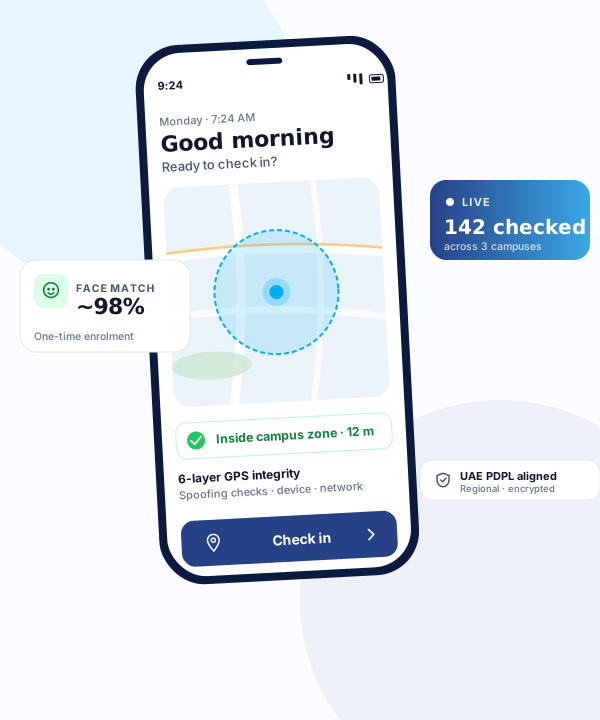
Fingerprint attendance has been the default on-premise model for UAE workplaces for many years, and it remains a reasonable fit for organisations with the right operating profile. In 2026, however, more UAE organisations are exploring cloud-based attendance using smartphone GPS and face verification as an alternative model. This playbook is for teams actively evaluating that move — what to weigh when making the decision, a 5-step migration plan if you decide to proceed, how to communicate the change to staff honestly, and a framework for modelling three-year total cost of ownership for your own situation.
Why 2026 is a natural checkpoint
Three forces have converged for UAE buyers. First, the UAE Personal Data Protection Law (PDPL) has matured, and any biometric data programme — whether fingerprint, face, or iris — now benefits from a documented consent process, retention schedule, and access controls. Organisations using any biometric method are encouraged to refresh their data-protection posture and ensure a data-protection impact assessment is in place. Second, smartphone penetration among UAE workforces has reached near-total saturation, opening cloud-based models as a practical option for workplaces that previously needed on-premise hardware. Third, cloud attendance platforms have matured into full HR-grade systems with GPS geofencing, face verification, multi-site dashboards, and compliance reporting.
If an organisation is already budgeting for a hardware refresh cycle or a new multi-year maintenance contract, 2026 is a natural moment to compare both models side by side for the specific operating profile.
Cost considerations when weighing hardware vs cloud
Both models have legitimate cost profiles, and the right answer depends on site count, staff count, and how long the organisation plans to keep the system in place. When HR and finance teams build a comparison, these are the line items that most often get missed on either side.
Hardware lifecycle. On-premise biometric devices have an expected service life that depends on usage volume, environmental conditions (humidity, dust, heat, direct sunlight), and the specific product. Budget for periodic refresh cycles and include replacement cabling, mounting, and installation labour in the three-year total. Some users cite factors such as frequency of use and site conditions when planning refresh cadence.
Annual maintenance contracts. Most on-premise fingerprint deployments include an annual maintenance contract covering firmware updates, sensor servicing, and support. Cloud subscriptions typically bundle equivalent support into the monthly fee. Comparing like-for-like means normalising maintenance into both columns.
IT support time. On-premise devices need local networking, firmware management, and periodic troubleshooting. Cloud platforms remove that local IT load but introduce subscription management and occasional account support instead. For multi-site operations, some users cite factors such as travel time between sites when sizing the on-premise support burden.
Environmental factors. Some users in UAE field environments cite factors such as humidity near coastal sites, dust at construction or industrial sites, and heat in non-airconditioned entry points when comparing read accuracy and maintenance cadence of different capture methods. The practical implication is that the actual experience varies by site; a pilot in one representative location is the most reliable way to model it.
PDPL alignment. Both fingerprint and face methods are biometric data categories under UAE PDPL, and both require the same governance foundations: explicit consent, a documented retention schedule, access controls, and a breach-notification process. Organisations refreshing their attendance model in 2026 often take the opportunity to refresh consent collection and retention policies at the same time, regardless of which method they land on.
Queue throughput at shift change. At a large single-site operation with hundreds of staff arriving within a narrow window, throughput per capture station matters. Smartphone-based check-in parallelises naturally because every staff member has their own capture device; on-premise stations serve one person at a time. For small sites or office environments with staggered arrivals, this is not a significant factor; for large shift-based sites, it is often the most meaningful operational difference.
Addressing staff concerns honestly
Any change to how staff clock in will generate questions. A portion of the workforce will need reassurance — older staff who are less familiar with smartphone apps, staff without personal devices, and anyone who interprets a new system as stricter surveillance. These reactions are normal and do not indicate the project is struggling.
The three most common questions, and honest answers:
“I don’t want to use my personal phone for work.” A reasonable position. Offer three paths — install on a personal phone (encouraged), use a shared tablet at the entrance (provided by the employer), or use a PIN fallback on a colleague’s or manager’s device. Most staff choose their own phone within two weeks once they see how quick the check-in is, but keeping alternatives open removes the friction point.
“What if my phone dies or I forget it?” A modern cloud system has a web-based fallback — staff can check in from a manager’s device or from a shared entrance tablet. Communicate this clearly upfront. Manager override exists precisely for these cases.
“Is this stricter monitoring?” Any attendance system records attendance. The honest framing is that a modern cloud platform gives staff transparent access to their own records, faster check-in with less queueing, and a clear process for corrections. Lead with those staff-side benefits rather than framing it as a management tool.
Expect 1–2 weeks of adoption friction. After that, most staff settle in.
The 5-step migration plan
Step 1 — Pilot at one site. Do not roll out across every location simultaneously. Pick one site with enough complexity to surface edge cases but small enough to recover from if something needs adjustment. Run the pilot for two full weeks while the existing system stays live in parallel. This produces real data on accuracy, adoption, and edge cases before committing organisation-wide.
Step 2 — Configure policies before go-live. Before staff ever log in, the system should already know the shift patterns, grace period for lateness, overtime rules, public holiday calendar, leave policies, approval hierarchy, and site geofences. If staff experience the new system as half-configured, trust erodes fast. Policy configuration is a focused task that fits into a single working day. Do it before day one.
Step 3 — Face photo enrolment with PDPL consent. Cloud platforms that include face verification need a reference photo per staff member. Enrol in person, during working hours, with a short written consent that describes what data is collected, how long it is retained (a common choice is 90 days after employment ends), who can access it, and how to withdraw consent. File signed consents in HR records. This single step satisfies a large part of the PDPL documentation requirement.
Step 4 — Parallel run for one payroll cycle. For one full month, run both the existing system and the new cloud system. Compare the outputs at month-end. Investigate every discrepancy. The parallel run proves the numbers to finance and to staff and catches any configuration gaps before cut-over.
Step 5 — Decommission hardware. After the parallel run, power down the existing devices but leave them mounted for two more weeks (staff memory is stubborn; removing devices too early creates unnecessary uncertainty). After the two-week grace period, remove the devices, close out the maintenance contract, and decommission any on-premise attendance server. Export historical attendance data for archival before cancelling access.
Staff communication template
Send this email (or a localised version) two weeks before the go-live date. Short, specific, and calm.
Subject: New check-in system from [Date] — what you need to know
Dear team,
From [Date], we are moving our attendance check-in from the existing on-premise system to a smartphone-based system. We have chosen this approach because it removes queues at shift change, gives everyone transparent access to their own attendance records, and fits the way most of us already use our phones at work.
What changes: You will check in through an app on your phone when you arrive and leave. The app takes around 3 seconds.
What stays the same: Your shift times, your leave balance, your salary — nothing else changes.
What we need from you: On [Enrolment Date], bring your phone to HR for a 5-minute setup. If you prefer not to use your personal phone, we will provide a shared device at the entrance.
We will run both systems together for the first month so nothing is missed. If you have questions, please speak to [Name] in HR.
Thank you,
[Signatory]
For multilingual workforces, translate the email into Arabic, Hindi, Urdu, Tagalog, and Malayalam as needed. Plain language, not corporate HR-speak.
Data migration: what to export from your existing system
Before cancelling access to the existing system, export five datasets.
Attendance history. A minimum of 24 months of daily check-in / check-out records. UAE Labour Law requires employers to retain attendance records for the duration of employment plus two years after. Export in CSV with timestamps in ISO format so the data is portable.
Leave balances. Current leave accruals per staff member as of the cut-over date. These become the opening balances in the new system. Get this signed off by Finance before freezing.
Employee records. Full employee master data — names, Emirates ID, passport numbers, joining dates, job titles, reporting lines, site assignments, shift patterns. Most systems export this as a single CSV.
Correction and approval history. Audit trail of any manual corrections or approvals — useful for labour inspections covering the transition period. Capture as screenshots or PDFs if direct export is limited.
Shift and policy configuration. Document current shift patterns, grace periods, overtime multipliers, and leave policies in a single reference document. Use it to configure the new system and to compare outputs during the parallel run.
Store exported data in a protected folder (encrypted, access-logged) with a clear retention schedule. This is both good hygiene and a PDPL requirement.
Common pitfalls (six to avoid)
One — geofences drawn too generously. A single wide geofence around a large site works in theory but creates ambiguity in practice — staff can check in from the car park or from a neighbouring building. Draw tight geofences around the actual building footprint, not the broader site boundary.
Two — no shift templates. Rolling out the system with only a single generic shift creates friction for teams with early shifts, late shifts, split shifts, or weekend rotations. Build the shift templates before enrolment, not after.
Three — under-preparing managers. The system lives or dies with line managers. If they are not confident approving corrections, overriding check-ins, or pulling a report, staff feel the gap quickly. Train managers one week before staff, not on the same day.
Four — keeping the existing system as a crutch too long. A one-month parallel run is healthy. A six-month parallel run means the migration has not really happened — the organisation is paying for two systems and training staff twice. Commit to a cut-over date and hold the line.
Five — ignoring visa-holder edge cases. Staff on visit visas waiting for a work permit, staff between contracts, drivers who rotate across multiple locations — these edge cases need explicit policies. Document them before go-live, not after a staff member raises it.
Six — skipping the PDPL consent refresh. A migration is a natural moment to capture fresh written consent for every staff member during enrolment. It takes five minutes per person and strengthens the compliance documentation.
3-year TCO modelling framework (illustrative)
The table below is an illustrative 3-year total-cost-of-ownership comparison based on typical UAE market estimates as of April 2026 for a single 100-person site. Actual figures vary widely by vendor, site size, usage pattern, environmental conditions, and contract terms — use this as a structure for your own modelling rather than as a quote for any specific product.
| Cost line (3 years, one site, ~100 staff, illustrative) | On-premise fingerprint | Cloud GPS + face |
|---|---|---|
| Hardware (devices, cabling, installation) | ~AED 12,000 | AED 0 |
| On-premise server / local software | ~AED 5,000 | AED 0 |
| Annual maintenance (3 yrs) | ~AED 9,000 | Included in subscription |
| SaaS subscription (AED 949/mo × 36) | — | AED 18,000 |
| IT support & site visits (est.) | ~AED 6,000 | Minimal |
| Refresh / mid-cycle replacement | ~AED 3,000 | AED 0 |
| Illustrative 3-year TCO | ~AED 35,000 | ~AED 18,000 |
Based on these illustrative estimates, a single 100-person site shows roughly a 50 percent difference across three years. For multi-site groups, the structural difference tends to be larger because on-premise hardware scales with the number of sites while cloud cost stays flat per site. See the detailed hardware-free attendance breakdown for a multi-site modelling framework. Run the same framework with vendor-specific quotes before making any purchasing decision.
Exploring a move to cloud attendance?
Book a free 20-minute demo. See GPS check-in, face verification, and PDPL-aligned records in action. Go live in a day.
Book a Free DemoRelated reading
Attendance Without Hardware
A guide to the hardware-free approach to attendance
Attendance System Dubai
The cloud-based attendance system built for Dubai businesses
Biometric Attendance Without Hardware
How face verification on a phone works as an on-site capture method
Fingerprint Scanners in 2026
When on-premise fingerprint remains a strong fit
Frequently asked questions
How long does the full migration take?
For a single site, typically 3–4 weeks end to end: one week setup, one week enrolment, two weeks running in parallel. A multi-site rollout is typically 6–10 weeks with a rolling site-by-site cut-over.
What if some staff genuinely do not have smartphones?
A shared tablet at the entry point covers this case, and one tablet per 50–100 staff is typically enough because a check-in takes seconds.
Is face recognition acceptable in the UAE?
Yes, with explicit consent and a documented retention schedule under the UAE PDPL. Store hashed facial templates rather than raw images, and provide a way for someone to withdraw consent.
Can we keep our existing payroll system?
Yes. A cloud attendance platform exports monthly CSV files, and most UAE payroll tools import attendance CSVs natively. Confirm the column format with whoever runs payroll before the first cycle rather than after it.
What about labour inspections during the transition?
Keep exported records from the existing system for the required retention period, and maintain an overlap window of parallel data during the cut-over month. A documented migration is straightforward to explain; an undocumented gap is not.