
By CampusTrack Team
One Attendance System for Every Branch: A Practical Guide
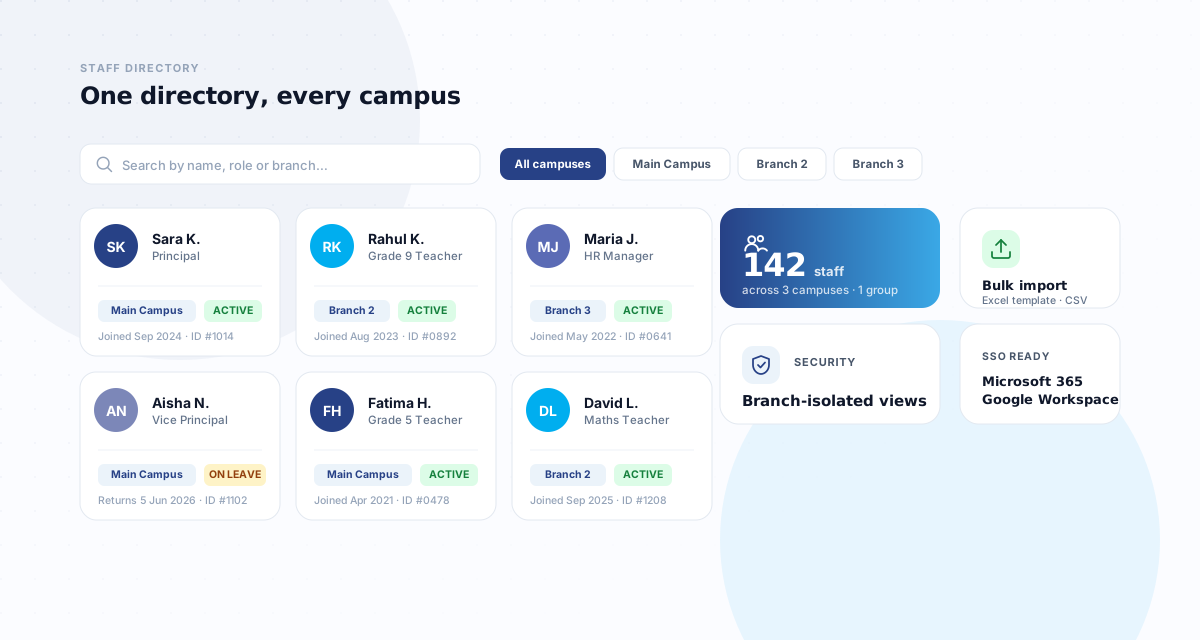
Managing attendance at a single location is straightforward. Managing it across 5, 10, or 50 locations is a fundamentally different challenge. Inconsistent policies, disconnected systems, no central visibility, and the sheer complexity of consolidating data from multiple sites for payroll — these are the daily realities for multi-branch operations in the UAE. Whether you run a school group, a restaurant chain, a security company, or a cleaning firm, the attendance challenges are remarkably similar.
The multi-branch attendance challenge
When each branch manages attendance independently, several problems emerge. Different branches may use different systems — one uses a fingerprint scanner, another uses a paper register, a third uses a basic app. The data formats are inconsistent, making consolidation for payroll a manual, error-prone process. There is no central dashboard where head office can see real-time attendance across all locations. Branch managers may apply leave and overtime policies inconsistently. And when an employee transfers between branches, their attendance history may not follow them.
For UAE businesses specifically, the WPS compliance requirement adds urgency. Payroll must be accurate across all branches, and salary discrepancies flagged by WPS 2.0 are calculated per employee. A single branch with poor attendance data can create compliance issues for the entire organisation.
Cloud-based central dashboard
The foundation of multi-branch attendance management is a single, cloud-based system that all branches feed into. CampusTrack's multi-campus architecture is designed around exactly this principle. Rather than each branch having its own isolated system, every location connects to the same platform. Attendance data flows in real time from every site to a central dashboard. Head office sees the complete picture: total headcount, present versus absent, late arrivals, overtime hours — all filterable by branch, department, or individual.
This centralisation eliminates the monthly scramble of collecting spreadsheets from branch managers. Payroll teams can generate organisation-wide reports in minutes rather than spending days consolidating disparate data sources. Historical data is in one place, making audits and inspections simpler.
Per-branch geofencing
Each branch gets its own GPS geofence — a virtual boundary defined by GPS coordinates and a radius. When an employee checks in, the system verifies that their phone's GPS location falls within the geofence of their assigned branch. This prevents employees from checking in remotely or from the wrong location. For businesses where employees may work at different branches on different days — common in retail, hospitality, and security — the system can be configured to accept check-ins at any branch within the organisation, while still recording which specific branch the employee attended.
Role-based access control
In a multi-branch setup, not everyone should see everything. A branch manager needs to see attendance data for their branch only. A regional manager might oversee 5 branches. The HR director needs access to all branches. The group CEO wants a high-level summary dashboard. Role-based access control ensures each person sees exactly the data relevant to their role — no more, no less. This is not just about convenience; it is a data protection requirement under the UAE Personal Data Protection Law (PDPL), which mandates that access to personal data should be limited to those who need it for their role.
Consolidated reporting
Multi-branch reporting should work at multiple levels simultaneously. Branch-level reports show daily attendance, late arrivals, absences, and overtime for a single location. Regional reports aggregate data across a group of branches. Organisation-level reports provide the full picture for payroll processing and executive review. The system should allow filtering, comparison, and export at any level. A particularly useful capability is branch comparison — seeing which locations have the highest absenteeism rates, the most overtime, or the best punctuality — which enables data-driven management decisions.
Real-world scenarios
School groups: A Dubai school group operating 4 campuses needs each principal to manage their campus independently while the group director sees consolidated data. See our detailed article on managing staff attendance across multiple school campuses. Teachers assigned to one campus should only check in at that campus. Substitute teachers who move between campuses need flexible assignments. The system must handle different academic calendars if the campuses serve different curricula.
Restaurant and retail chains: A restaurant chain with 12 outlets across Dubai and Abu Dhabi has shift-based staff, many of whom are part-time. Staff may be reassigned between outlets based on demand. The attendance system needs to handle shift scheduling, track actual hours versus scheduled hours, and produce payroll-ready reports per outlet and consolidated.
Security companies: A security firm deploys guards to 30 client sites across the UAE. Each site has its own geofence. Guards work 12-hour shifts with day and night rotations. The system must track check-in at the client site (not the security company's office), handle shift handovers, and alert operations if a guard fails to check in for their shift.
Cleaning companies: A facilities management company provides cleaning services to 20 buildings. Each building is a separate geofenced location. Cleaners often start early morning before the client's staff arrives. The system needs to verify presence at the client site and capture actual working hours for billing purposes as well as payroll.
Implementation approach
For multi-branch rollouts, a phased approach works best. Start with 2 to 3 pilot branches to validate the configuration, geofences, and reporting workflows. Iron out any issues before expanding. Designate a branch champion at each location — someone who understands the system and can help colleagues with day-to-day questions. Standardise attendance policies across all branches before going live; the system will enforce whatever rules you configure, so inconsistencies in policy will become inconsistencies in data. Finally, establish a clear process for employee transfers between branches to ensure attendance history and assignments are updated promptly.
Looking for multi-branch attendance management?
CampusTrack supports unlimited branches with per-site geofencing, role-based access, and consolidated reporting from a single dashboard.
Explore multi-campus featuresFrequently asked questions
Should each branch manage its own attendance?
Day to day, yes. Policy, no. A branch that cannot fix its own register today will keep a private spreadsheet instead, and policies that differ per branch make group reporting meaningless.
How do we handle staff who work at more than one branch?
One record with access to several branches, never two accounts. Ask any vendor to demonstrate it, because the two-account workaround looks fine in a demo and surfaces later as duplicated headcount and split leave balances.
What should the group-level view show?
Exceptions, not everything. A dashboard listing every branch as fine is unreadable and stops being opened; one that surfaces the three branches with a problem today gets used every morning.